Sometimes I come across Sanskrit Tech tools that I'm surprised are not more well advertised or discussed. Without further ado, here's a quick listing of some fun ones I've noticed lately.
Vāgdhenu — Sanskrit TTS chanting system
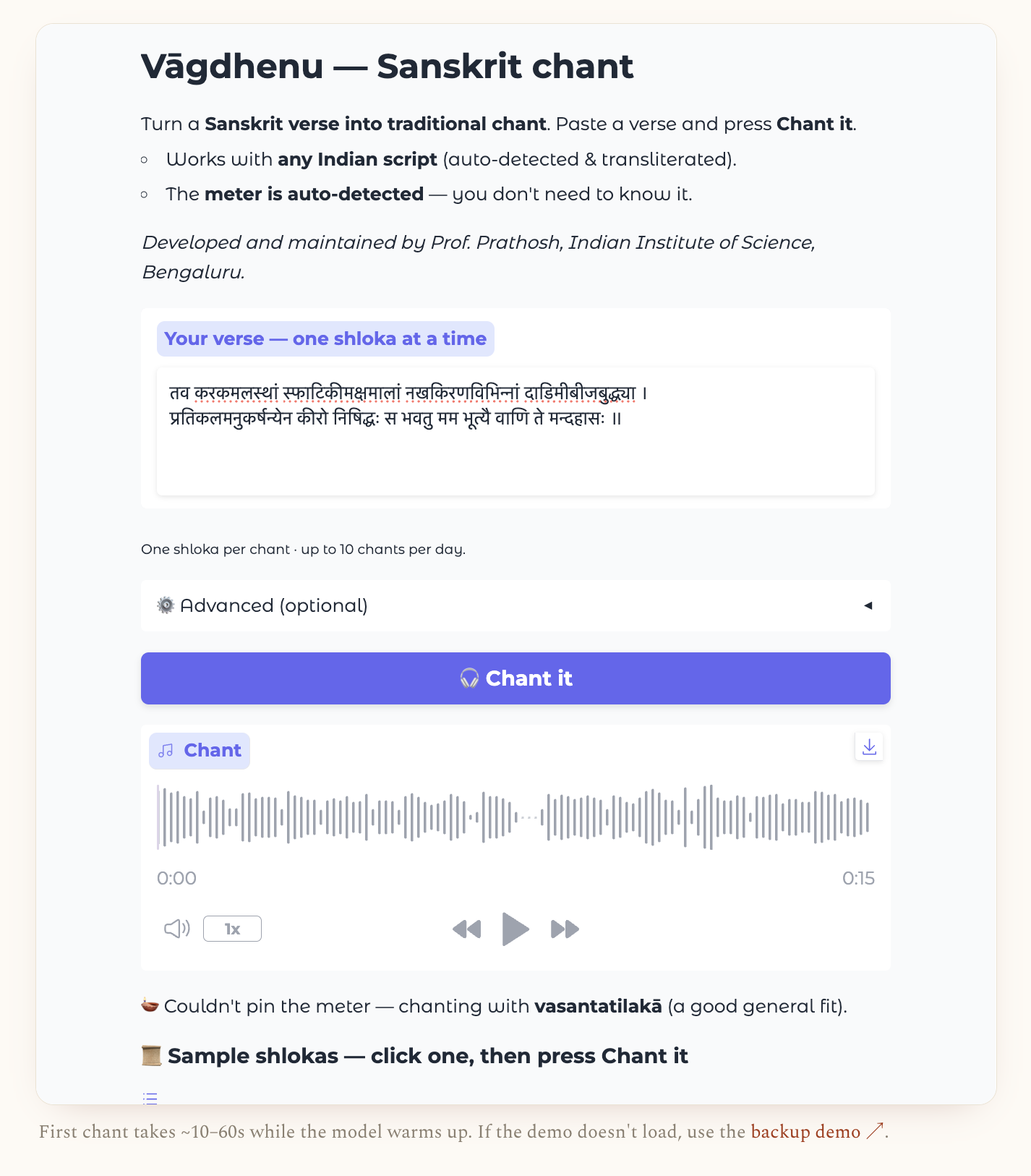
Sanskrit text-to-speech (TTS) has existed in some form for a while — e.g., on sanskritdictionary.com (although as it happens, it's not working for me there at the moment) — and of course you can now ask AI to try, too. Meter identification is similar: I've written extensively about options, most recently here. In turn, it makes sense that combining TTS and meter identification would be more niche and difficult to realize. Now we have such an attempt at this use case of text in, chanted audio out.
The model-based tool, a solo project by Prof. Prathosh A. P. at IISc Bengaluru, attempts to figure out meter on its own — not a great design decision, in my opinion — and then sing the verse in a traditional melody. It's free and open, and there's a live demo online you can try, limited to a few attempts per day.
As with all things nowadays, you should also try asking AI to do the same task as a baseline. Gemini and Sarvam appear to be best at this at present.
Telegram bot for Dharmamitra Grammatical Analysis
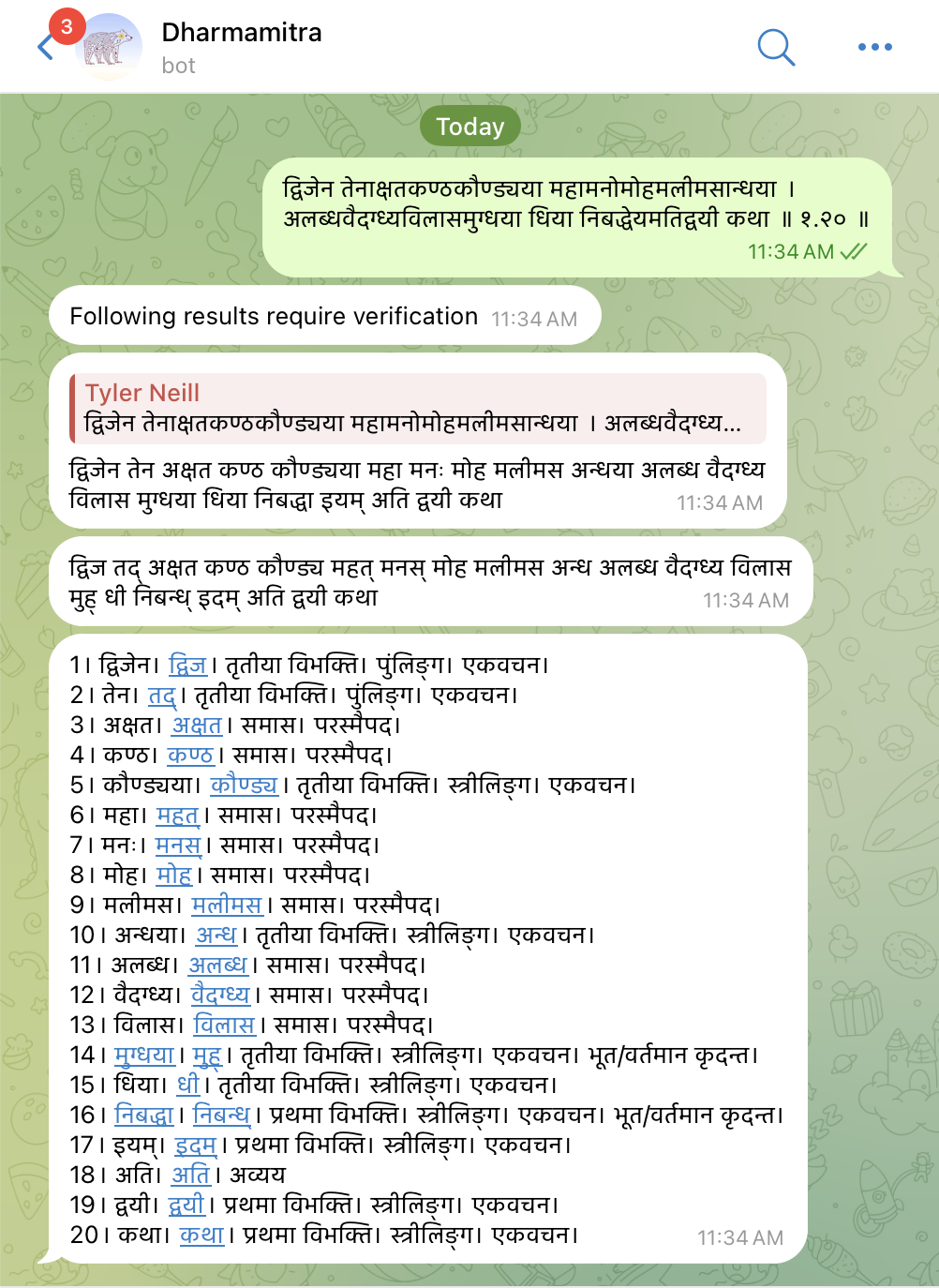
The idea here is that you want to use Dharmamitra's grammatical analysis feature — not its machine translation, which is a different model altogther — but you don't want to use the official website UI, nor the official browser extension (e.g., for Chrome), nor do you want to interact more programmatically (there is also an API, a Python package, and an Emacs extension — all official, as well). Instead, you want to "chat at" a specialized bot on a messaging platform — an increasingly common software interface style encountered on social platforms ranging from Slack and Discord to X and Instagram. Telegram, the relevant platform here, may not be familiar to North American readers, but it is widely used in India, second only to WhatsApp.
To use this unofficial bot, first you must have installed the Telegram app. Then, you "@" the bot in a chat message and give it the chunk of Sanskrit you want analyzed. The bot then goes off, hits the Dharmamitra API serving the specialized grammar model (ByT5-Sanskrit), does a bunch of post-processing on the response — NB! — and gives you the result. Words are split and inflection info is provided, e.g., case/gender/number for substantives (although also "परस्मैपद" — a bug). And instead of Dharmamitra's own integrated dictionary data, it directs the user to kosha.app, part of the Sanskrit.Today project ecosystem by Ashok CM. Overall, not something I see myself using, but interesting as an interaction style I was personally less aware of.
The bot's author is Shantanu Oak, who is super-online: https://github.com/shantanuo, https://oksoft.blogspot.com/, https://linktr.ee/shantanuo.
Aksharamukha Transcriber (Uchcharaka)
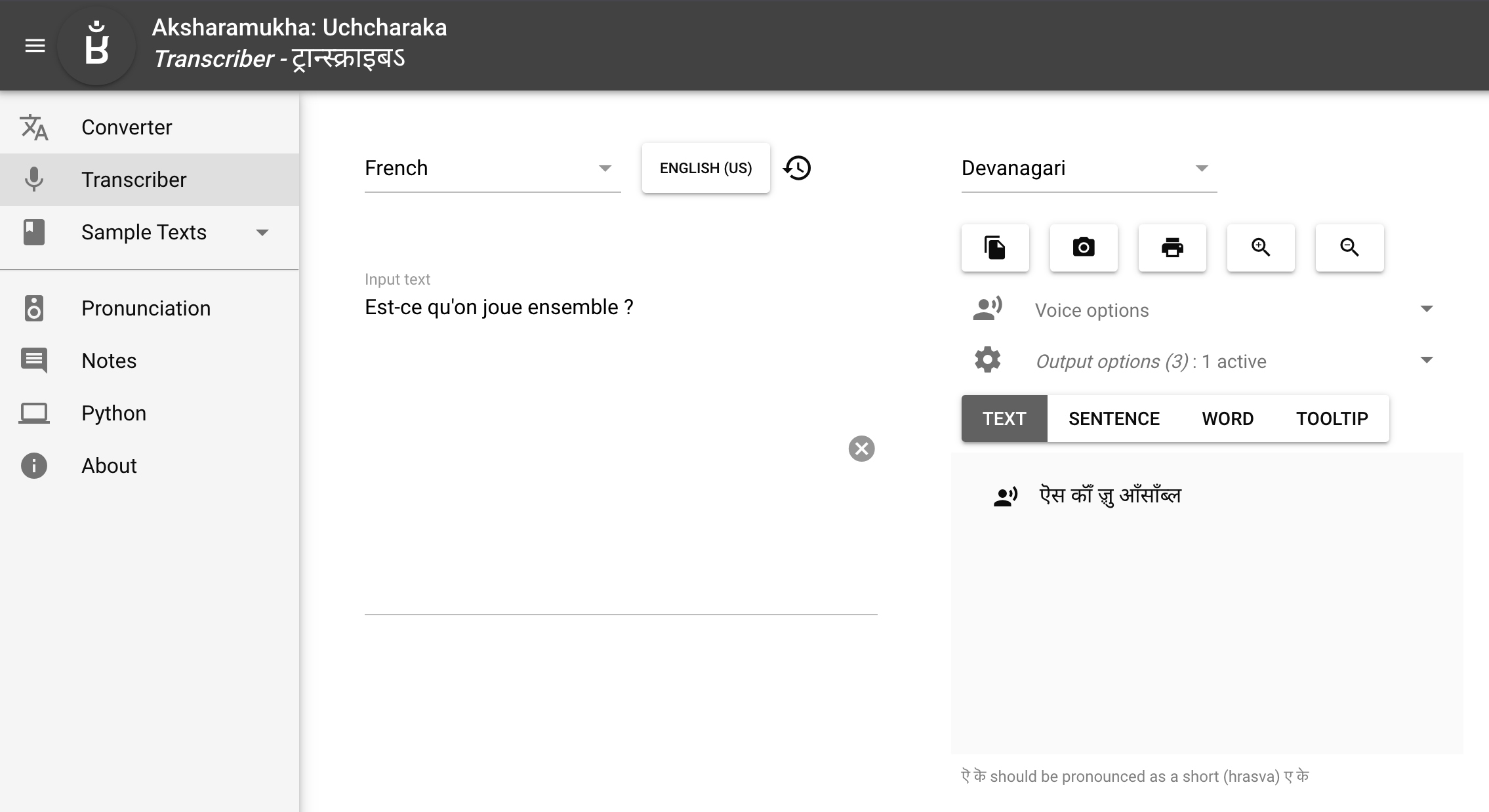
Aksharamukha is still mainly focused on being a transliteration tool that converts Indic text from one phonetic writing scheme to another. In a closely related move — for fun! — creator Vinodh added an independent tool on the same site, called "Transcriber" or "Uchcharaka", which converts text from any language, in whatever non-phonetic writing system it uses, into a phonetic rendering in Indic scripts. In other words, you input, e.g., something in French ("Est-ce qu'on joue ensemble?") and it can show you how best to represent that in, e.g., Devanāgarī ("ऎस कॉँ ॹु आँसाँब्ल"). This is done with the nifty software espeak — easily available in Python, btw — which understands how to convert natural language input from many languages into IPA. From there, it's just a hop, skip, and a jump to representing the same in Indic scripts, most of which are used quite phonetically — and it doesn't hurt that Aksharamukha is fully conversant with alphabetic extensions for representing sounds outside of normal Indic phonology, like all the extra nasalization seen in the French example above.
Very clever, and a great party trick for the classroom. Nice work, Vinodh!
Cologne Sanskrit Lexicon
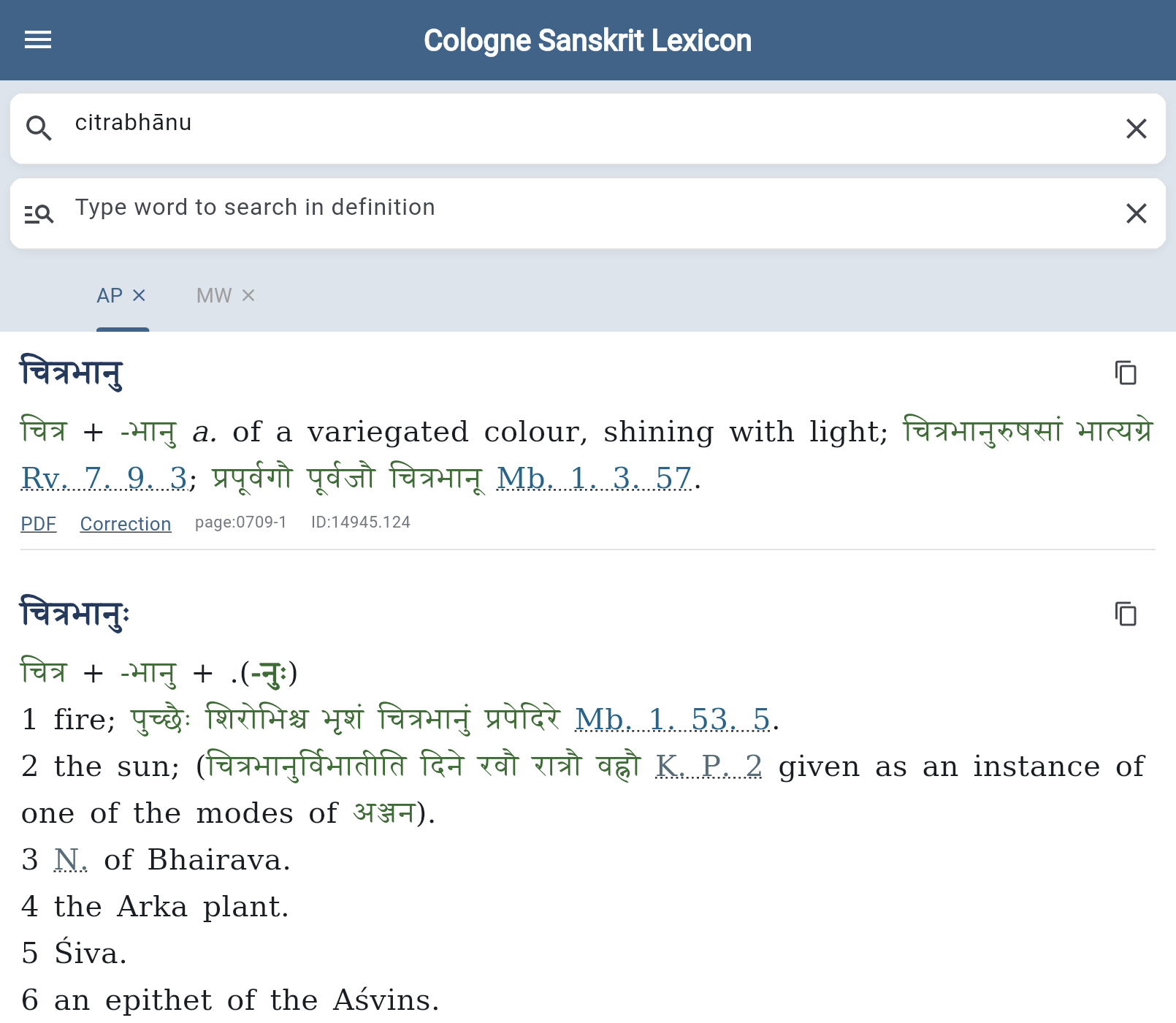
The Cologne Digital Sanskrit Dictionaries have been a go-to for online Sanskrit lookup for ages. There's a "basic display," e.g. for Monier-Williams, and for a few years now also the "simple search," which is actually a more powerful interface that autocomplets search terms and supports easily switching between the various dictionary sources.
Now, yet another official interface has quietly appeared. If you're using it only on a desktop with a fast connection to the internet, it's basically just more slick and user-friendly, including tabs for your preferred dictionary sources. But also, it works great on a phone — and even offline! That will very much come in handy when working in low-connectivity situations, as Sanskrit folks often do.
Pro-tip: Look up and follow instructions for how to set up a "progressive web app" (PWA) on your mobile device. In my case, I had to do the following on my iOS Chrome:
- Open page in browser.
- Tap
Shareicon in address bar. - Tap
Add to Home Screen. - With internet still connected, go into the newly installed app and RE-download desired dictionaries (they do not transfer from the browser).
- Then, and only then, turn off internet connection.
- The app still works!
Many thanks to Dhaval Patel for his continued diligent work on this.